
Your favourite recipes. All together.
Snap a notebook page or add a link to a video or website. Receptli turns it into a clear recipe in your language.


5 recipes and 5 AI imports for free, once per account. More AI imports are included with Premium.
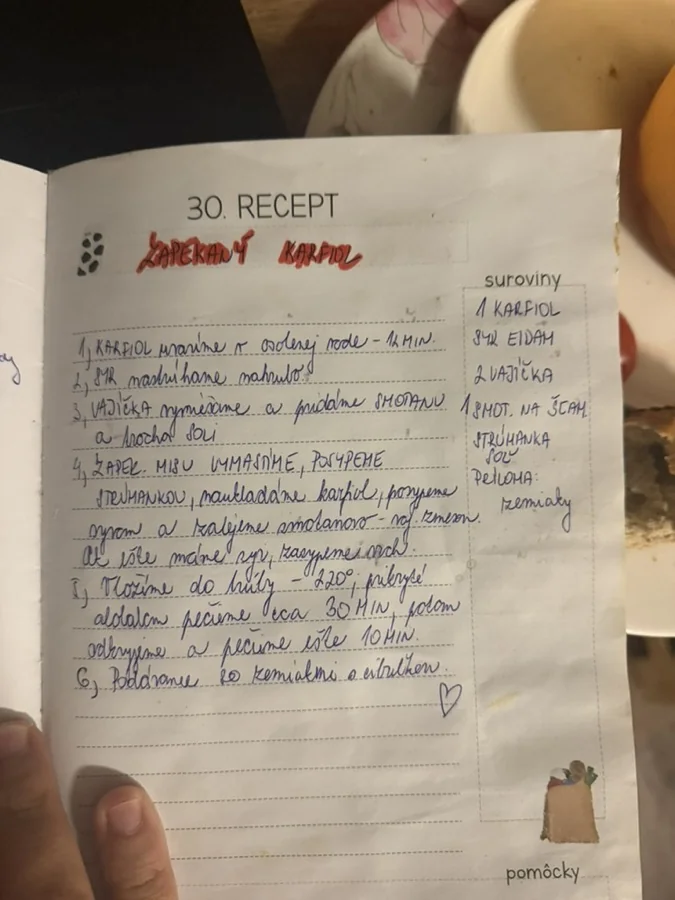
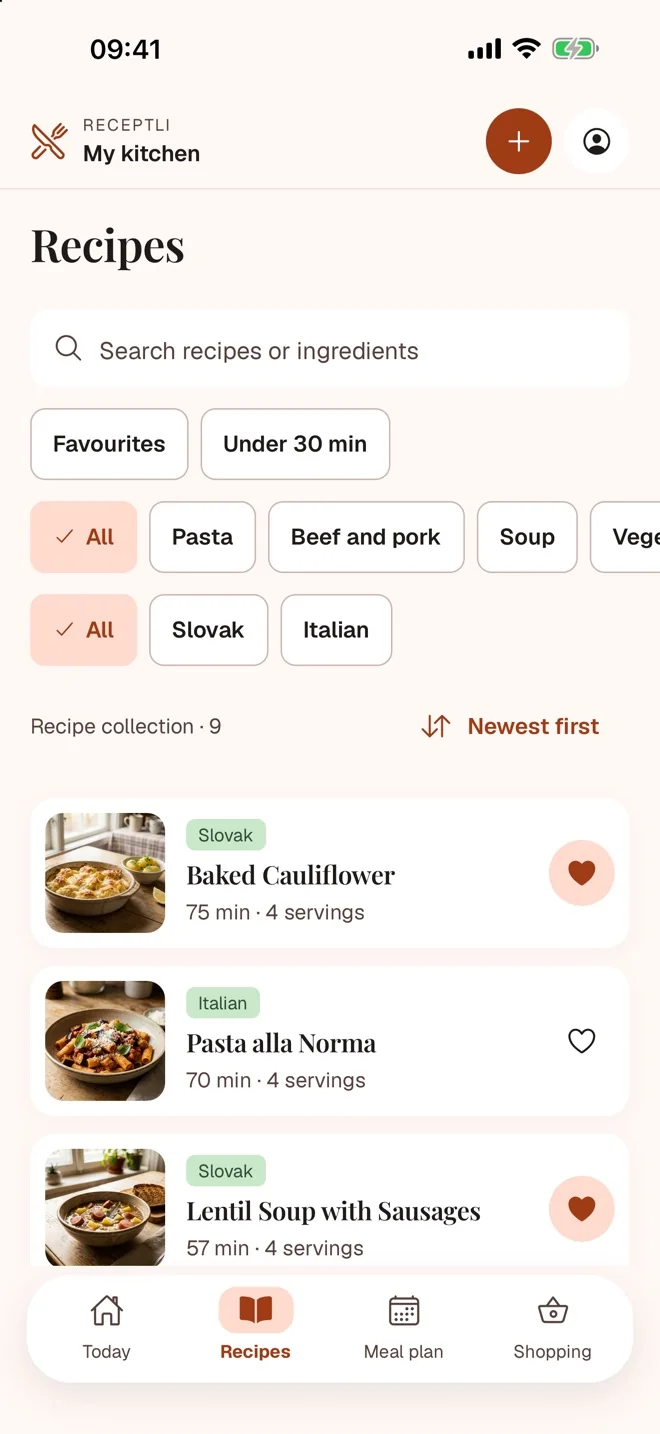
Thirty seconds from notebook to shopping list
A notebook page photographed, a recipe video shared into the app, cooking with a timer and a shopping list for the whole family.
From the notebook to your phone
Snap a page from the family notebook or a cookbook. AI drafts the recipe with ingredients, steps and times, even translated. You check and edit it before saving.
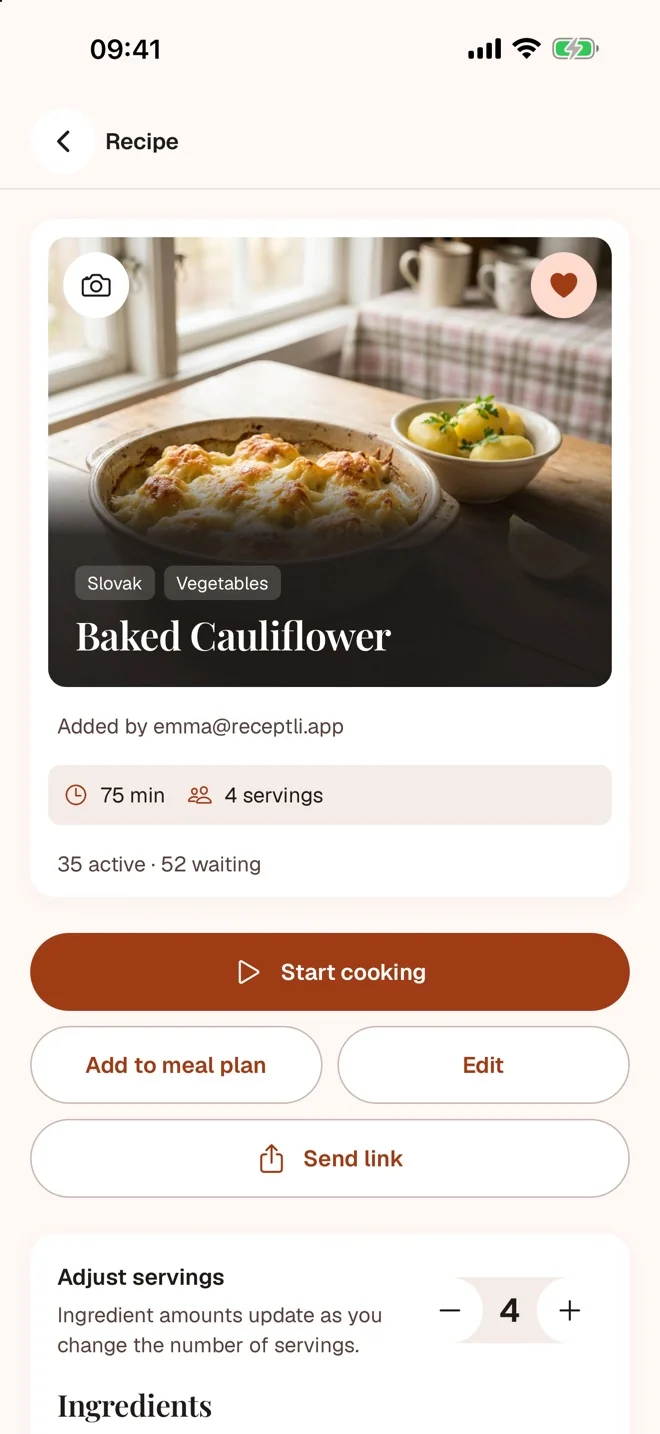
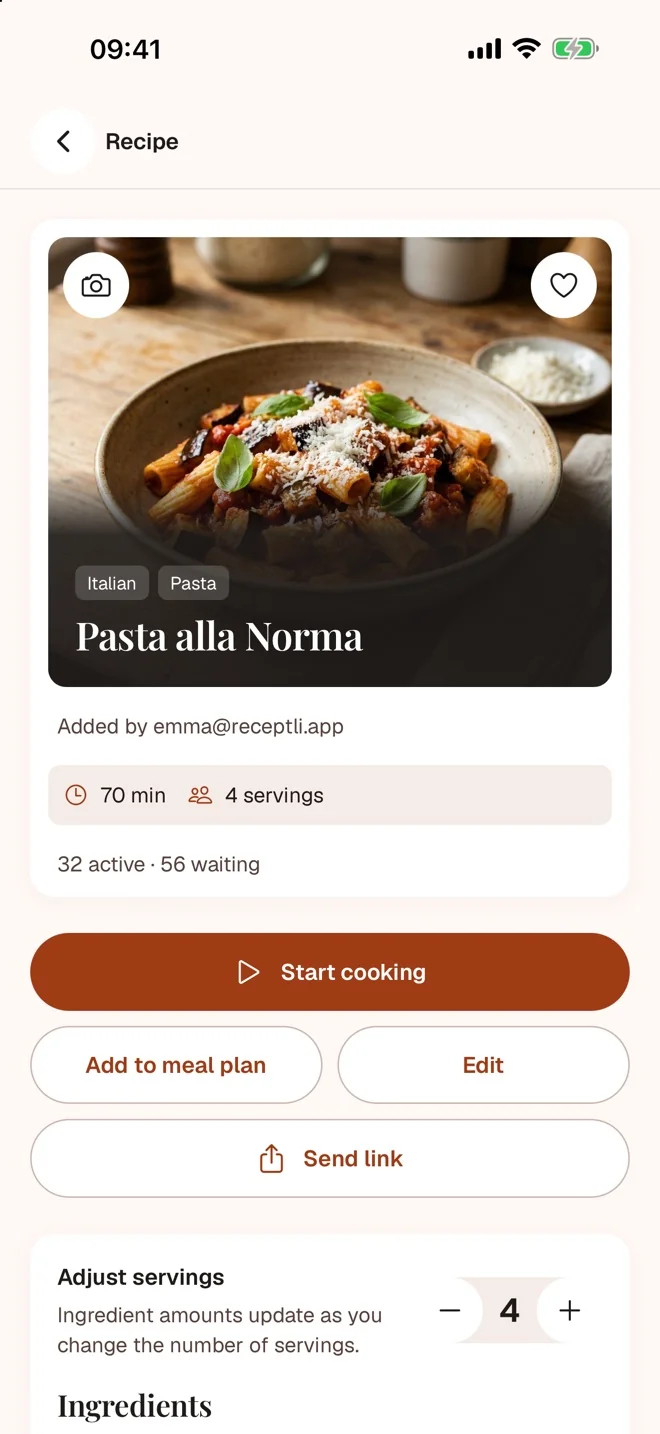
A recipe from an Italian video? You get it in English.
Add a link to a post or a website, a screenshot or a PDF. Receptli pulls out the recipe and translates it into the language you choose.
- Photo
- Notebook
- Cookbook
- Screenshot
- Website
- TikTok
- YouTube
- Another app
Recipe languages: English, Slovak, Czech, German, Spanish, French, Italian and Polish.
Then cook, plan and shop
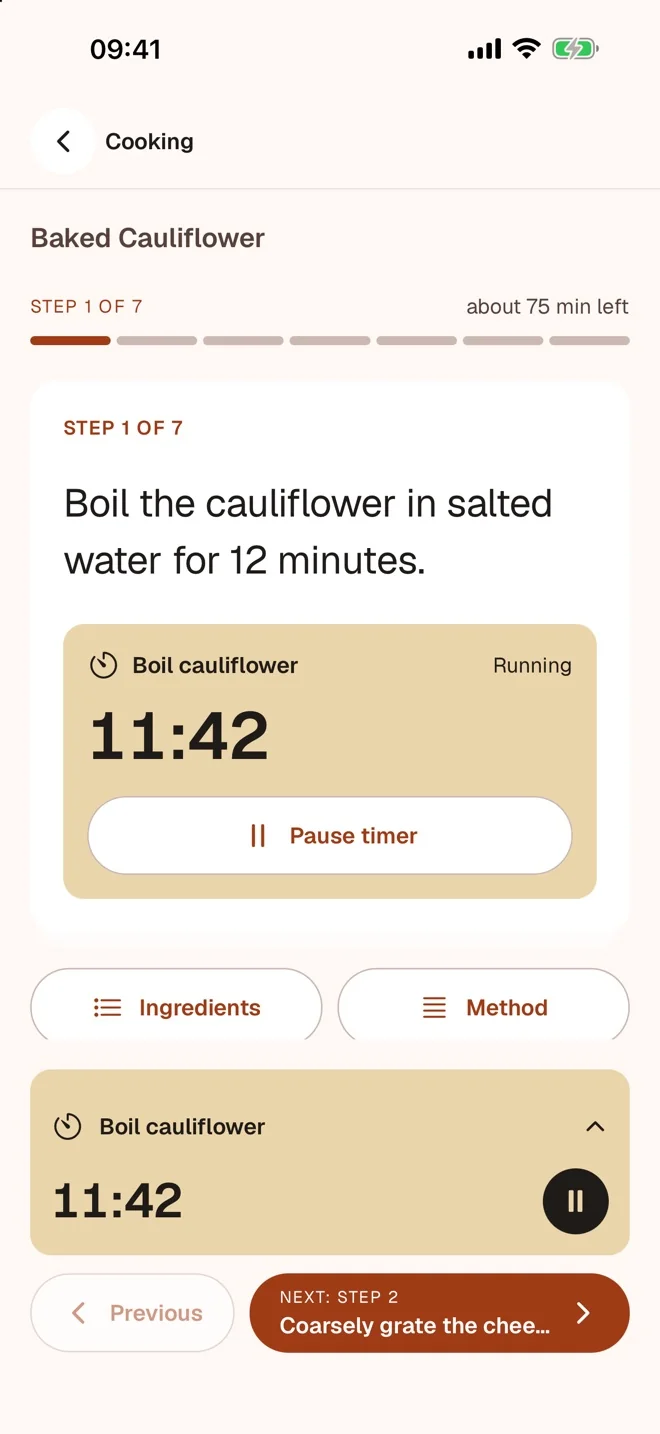
Cook step by step
Large text, one step at a time and a timer you start with one tap.
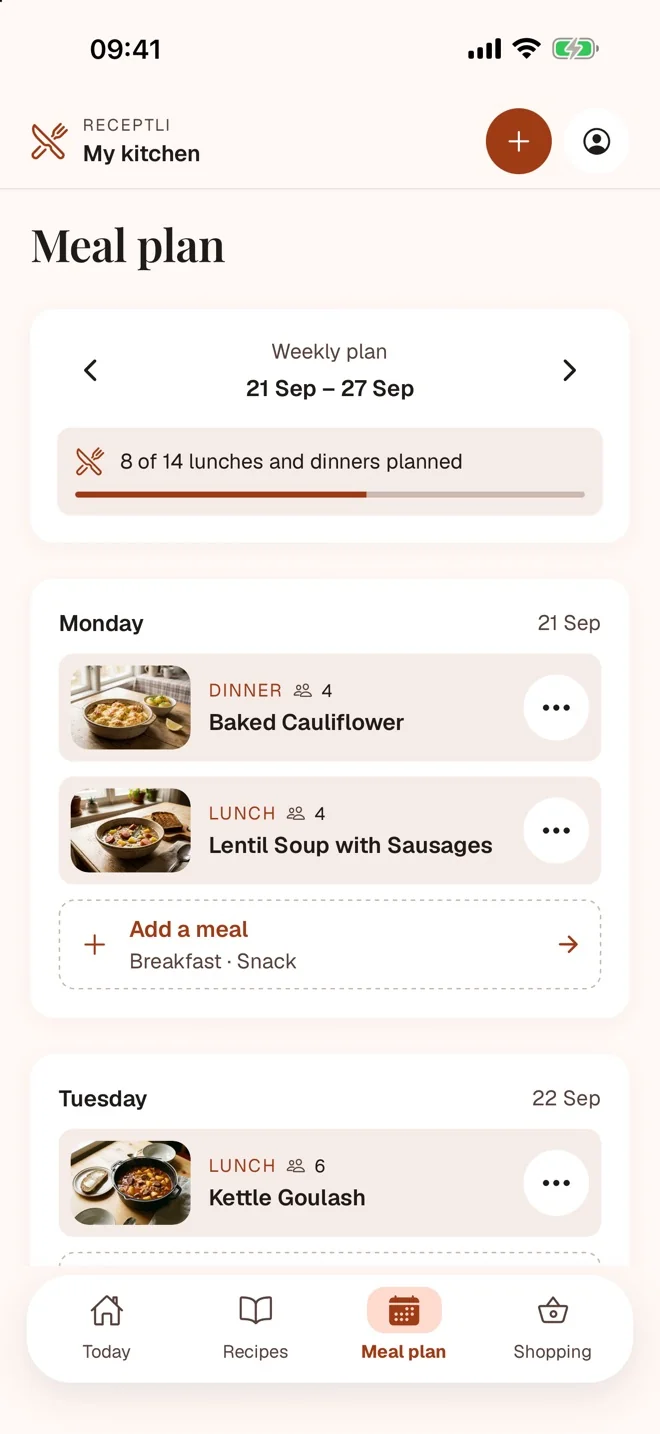
Plan the whole week
Lunches and dinners for the whole household in one place.
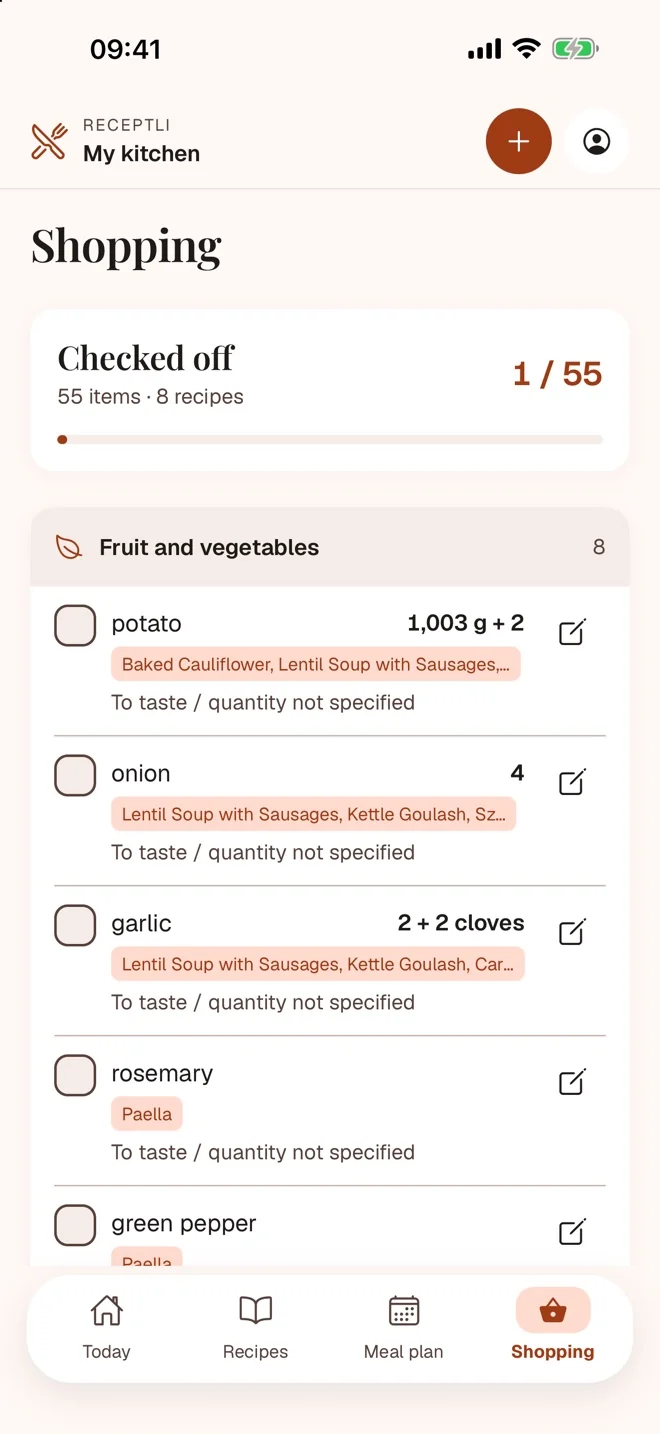
A shopping list from your plan
Ingredients from the planned meals, sorted by supermarket aisle.
Find a recipe by ingredient
Half a cabbage left? Search by name or ingredient, or turn on From what I have at home and the recipes sort by what you're missing.
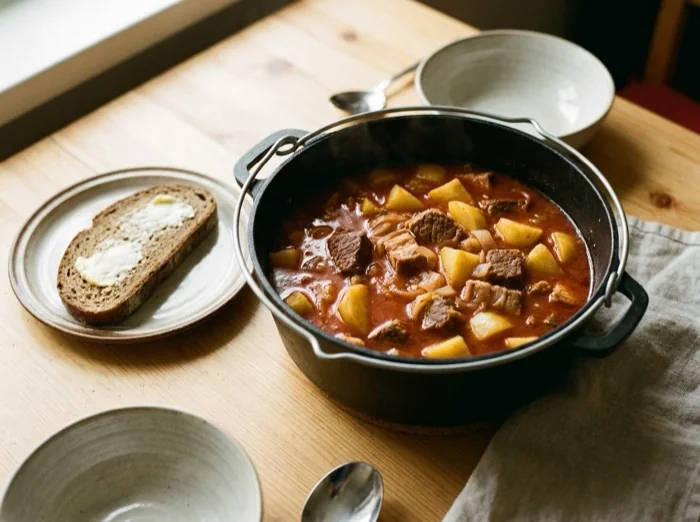


Servings and units
Scale the ingredients to a different number of servings, show grams or millilitres in US kitchen units, and see cups, oz or °F from English recipes in g, ml and °C too.
The screen stays on
While you cook, the screen stays on. When a timer ends, it alerts you even with the app in the background.
Recipes without internet
Your saved recipes are at hand offline. Changes sync when you are back online.
Send a recipe as a link
Send a link from the recipe page; it lasts 7 days. The recipient saves the recipe to their own cookbook in Receptli.
Imports in the background
Close the app while AI prepares the draft. You get a notification when it is ready.
Paste text or type it
Paste copied recipe text and AI sorts it into ingredients and steps. Or type the recipe into a form, no AI involved.
Everything that makes the week easier
Bring your recipes from another app, cook from what you have at home and keep track of what the family likes.
From what I have at home
Turn on the filter in Recipes and the app sorts your recipes by what you're missing. Add what you have by tapping ingredients from your own recipes.
At home and staples
Mark what you have at home on the shopping list; it remembers salt or oil as a staple. All in one place, and the Recipes filter uses it too.
Copy and save a week
Copy a week that worked into the next one, or save it under a name and use it whenever you like.
A shopping list that knows why
Each item shows which meals it is for and how many servings; change the servings and the list recalculates. Send the list as text to WhatsApp or SMS.
Import from another app
Export files from Paprika, Mela, Crouton, Recipe Keeper, Plan to Eat, Mealie and Tandoor, and JSON-LD files. Read on your phone, without AI and without using any AI imports.
Export anytime
A ZIP backup with photos and a JSON-LD copy, or the whole cookbook or a single recipe as an A4 PDF.
A recipe over several pages
Photograph a recipe page by page: one recipe from up to 8 pages.
No duplicates
If you already have a recipe, the app warns you before the import, and no AI import is spent.
Stars, history and notes
Every household member rates recipes with stars, the app keeps a history of what you cooked, you can add a note when you cook, and recipes from your family show their rating.
Leaving Paprika or Mealime?
You don't have to retype your own recipes.
From Paprika
Paprika 4 is moving to a subscription. Export your recipes from Paprika as a .paprikarecipes file and open it in Receptli with From another app. Recipes and their photos come across on your phone, no AI involved.
From Mealime
Mealime closes on 21 October 2026 and has no export, so there is no file to import. While the app still works, take screenshots of the recipes you want to keep. Receptli turns them into recipe drafts with AI, and you check each one before saving.
The free plan holds 5 recipes. Add the rest with Premium: importing the same file again duplicates nothing.
One subscription for the whole family
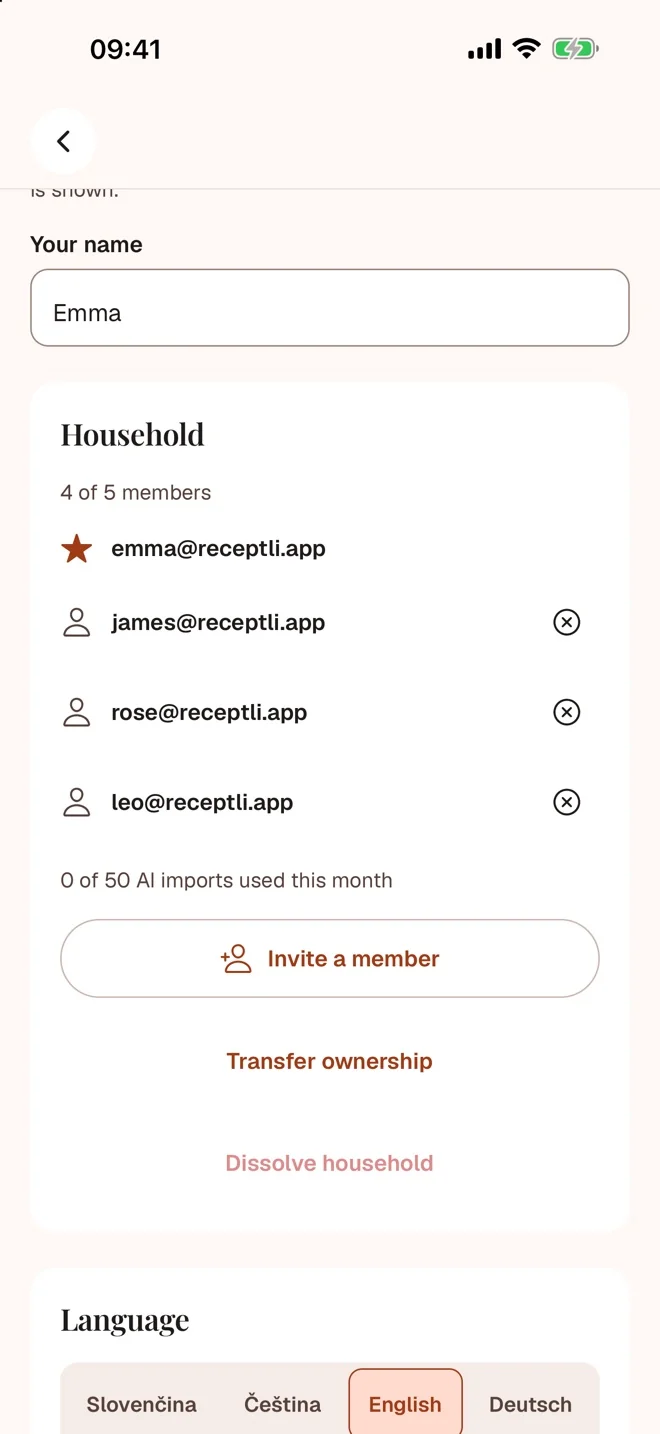
Invite your partner, parents or other adult family members to your household. Recipes, meal plan and shopping list are shared, and Premium covers everyone.
- 5people in one household
- €1.99a month for the whole household
- €0extra for more members
New: Families
Do you also cook at your parents', siblings' or grandparents'? Connect up to five households in one family. You see each other's recipes, and each household keeps its own meal plan, shopping list and subscription. Cook a family recipe straight away, or save it to your own cookbook with one tap and make it your own.
Start for free
No ads. Switch to Premium when five recipes are not enough.
Free
€0
- 5 recipes
- 5 AI imports, once per account
- Cooking mode, meal plan and shopping list
Premium
€1.99 a month, or €19.99 a year
- Unlimited recipes
- 50 AI imports and 100 pages a month; 600 imports and 1,200 pages a year on the annual plan
- For the whole household, up to 5 people
Prices in euro including VAT. The subscription renews automatically; you buy and cancel it in the App Store or Google Play, which show the price for your country.
Guides for your own recipes
- How to save a recipe from a photo or a notebook
Photograph a family recipe, check the ingredients and steps and save it to Receptli. A practical guide that works for handwritten recipes too.
- How to save a recipe from Instagram, a video or the web
Save a recipe from Instagram, TikTok, Facebook, YouTube or the web to Receptli. A guide to importing a link, checking the draft and what to do when it fails.
- Family cookbook, meal plan and shared shopping
Organise family recipes in Receptli, plan meals and prepare a shopping list. A household has up to five adult members, a family up to five households.
Questions
Can it read a handwritten recipe?
Receptli can process handwritten recipes. A sharp, well-lit photo helps. AI prepares a draft for you to check before saving; it can misread handwriting or abbreviations.
Which languages can it translate into?
English, Slovak, Czech, German, Spanish, French, Italian and Polish. You choose the recipe language in the app.
How does family sharing work?
The household owner sends an invitation code that is valid for 7 days. Members then share recipes, the meal plan, the shopping list and Premium. A household has at most 5 people.
What is a Family?
A family connects up to five households that see each other's recipes. Each has its own meal plan, shopping list and subscription, and every one of them needs Premium. A household owner creates the family in Household & account and invites other households with a link or a code. When a household leaves the family, nothing is deleted.
What happens to my photos?
Source photos are encrypted and deleted within 24 hours after you save or discard the draft. We do not sell recipes or use them for ads or to train AI. Details are in the privacy policy.
Can I bring my recipes from another app?
Yes, if that app exports a file: Paprika, Mela, Crouton, Recipe Keeper, Plan to Eat (CSV), Mealie, Tandoor or JSON-LD. The file is read on your phone without AI and uses no AI imports. The free plan holds 5 recipes; after upgrading to Premium, import the file again to add the rest, nothing is duplicated.
Does Receptli work without internet?
You can open and cook your saved recipes offline, and changes sync when you are back online. A new AI import and Family recipes you have not saved to your own cookbook need a connection.
Can I send a recipe to someone outside my household?
Yes. On the recipe page, tap Send link. The link lasts 7 days, and after signing in the recipient saves the recipe to their own cookbook in Receptli.
Which languages is the app in, and does it have dark mode?
The app is in English, Slovak, Czech, German, Spanish, French, Italian and Polish, has light and dark appearance, and runs on iPhone, iPad and Android.
How do I cancel the subscription?
Any time, in the subscription settings of the App Store or Google Play. When the paid period ends, the household is locked: you can export your recipes as a ZIP backup with photos, and renewing the subscription unlocks everything again.
When can I download the app?
Receptli is in the App Store for iPhone and iPad and in Google Play for Android.
Start with one notebook page
Try 5 recipes and 5 AI imports for free, once per account.